

Close Menu
  • Home
  • News
  • Leaks
  • Reviews
    • Phone Reviews
    • Tablet Reviews
    • Accessory Review
  • Android
  • Apple
  • Windows
  • Wallpapers
  • Contact
    • Tip Us
    • Press release or product review
What's Hot

iPhone 18 Pro Camera Bump Could Get Bigger

June 18, 2026

Can We Go Back to Real Smartphone Upgrades?

June 18, 2026

Google’s Next-Gen Smart Speaker Lands on June 25 for $99

June 17, 2026
Facebook X (Twitter)
FWNEDFWNED
  • Home
  • News
  • Leaks
  • Reviews
    • Phone Reviews
    • Tablet Reviews
    • Accessory Review
  • Android
  • Apple
  • Windows
  • Wallpapers
  • Contact
    • Tip Us
    • Press release or product review
FWNEDFWNED
Home » Maximize the potential of the Camera on Lumia Phones running Windows 10 Mobile
Tips

Maximize the potential of the Camera on Lumia Phones running Windows 10 Mobile

Matt KinneBy Matt KinneJune 9, 2016No Comments2 Mins Read
Facebook Twitter Pinterest LinkedIn Tumblr Email
Share
Facebook Twitter LinkedIn Pinterest Email

Lumia phones are mainly loved because of their Great camera and huge battery life .

People who own a Lumia love to boast and show off their photography skills . This post will be a boon for these kind of people who love to play with the camera rocking on their Lumia phones .

WARNING : This hack requires interop unlocking your phone which is dangerous and not recommended by Microsoft or anyone else . Do it at your own risk . Neither me nor the source of this information is responsible for anything wrong that goes with your device . This also results in voiding the warranty of your device .

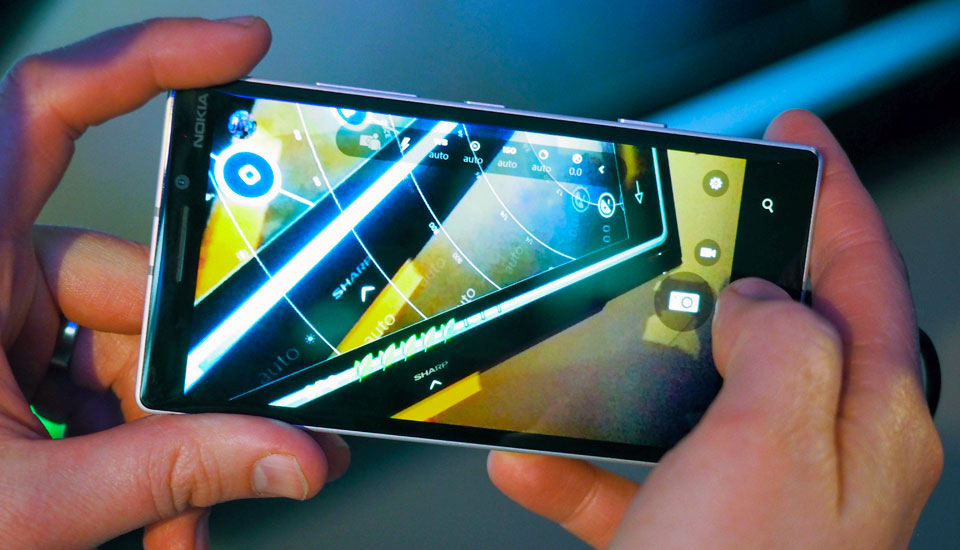
So, to maximize the manual controls of your phone’s camera follow these steps :

1 open CustomPFD and move to Registry Tree
2 continue to HKLM\SOFTWARE\OEM\nokia\Camera
3. choose FrontFacingCamera (FFC) or RearFacingCamera (RFC)
4. continue to Caps
5. if you want to set minimal ISO, select “+” and type Key: MinIso | value: less than 100 (example 25), and WRITE
6. if you want to set maximal Shutter Speed, select “+” and type key: MaxET | value: 4000000 (more value dont work), and WRITE
7 Test your Camera .
cameraapp

NOTES :
#1 Maybe by this way, you can regain the 4s shutter speed capabilities on Lumia 520,525,630,etc .

#2 All the values must be in DWORD32 .


Why don’t you tell us what it worked like in the comments below? 🙂

Lumia Lumia Camera Windows 10 Windows 10 Mobile WIndows Camera Windows Phone WIndows Phone 10
Share. Facebook Twitter Pinterest LinkedIn Tumblr Email
Matt Kinne

I golf, autocross, and spend way too much time messing with new phones and gadgets. FWNED is where I share smartphone news, leaks, reviews, and whatever else catches my attention in the tech world.

Related Posts

How to enable the status bar battery percentage in iOS 16

August 8, 2022

How to enable the notification light on the Pixel 2 and 2 XL

December 25, 2017

How to disable Chrome Custom Tabs on Android [tutorial]

November 17, 2017

How to disable Google Play Protect

August 13, 2017
Editors Picks

Can We Go Back to Real Smartphone Upgrades?

June 18, 2026

18Birdies Pro Swing Analysis Review: Is a $15 Virtual Lesson Worth It?

June 9, 2026

FWNED Is Back!

June 8, 2026

Why I’m Paying for 18Birdies Premium Even Though It Leaves Android Users Behind

June 1, 2026
Related Posts

How to enable the status bar battery percentage in iOS 16

By Matt Kinne

How to enable the notification light on the Pixel 2 and 2 XL

By Matt Kinne

How to disable Chrome Custom Tabs on Android [tutorial]

By Matt Kinne
Advertisement
FWNED
Facebook X (Twitter)
  • Write For Us
  • About Us
  • Contact
  • Sitemap
  • Privacy Policy
© 2026 FWNED

Type above and press Enter to search. Press Esc to cancel.