

Close Menu
  • Home
  • News
  • Leaks
  • Reviews
    • Phone Reviews
    • Tablet Reviews
    • Accessory Review
  • Android
  • Apple
  • Windows
  • Wallpapers
  • Contact
    • Tip Us
    • Press release or product review
What's Hot

iPhone 18 Pro Camera Bump Could Get Bigger

June 18, 2026

Can We Go Back to Real Smartphone Upgrades?

June 18, 2026

Google’s Next-Gen Smart Speaker Lands on June 25 for $99

June 17, 2026
Facebook X (Twitter)
FWNEDFWNED
  • Home
  • News
  • Leaks
  • Reviews
    • Phone Reviews
    • Tablet Reviews
    • Accessory Review
  • Android
  • Apple
  • Windows
  • Wallpapers
  • Contact
    • Tip Us
    • Press release or product review
FWNEDFWNED
Home » Galaxy Note 4 compared to Galaxy Note 5 via infographic
Android

Galaxy Note 4 compared to Galaxy Note 5 via infographic

Matt KinneBy Matt KinneAugust 15, 20152 Comments2 Mins Read
Facebook Twitter Pinterest LinkedIn Tumblr Email
Share
Facebook Twitter LinkedIn Pinterest Email

The Galaxy Note has been Samsung’s premiere flagship device ever since the first iteration was called a “piece of toast” for how large it was. Now, we are in the fifth iteration of the Note series, and a lot has changed this year. Not only is the device radically changed internally, it’s even more radically changed externally.

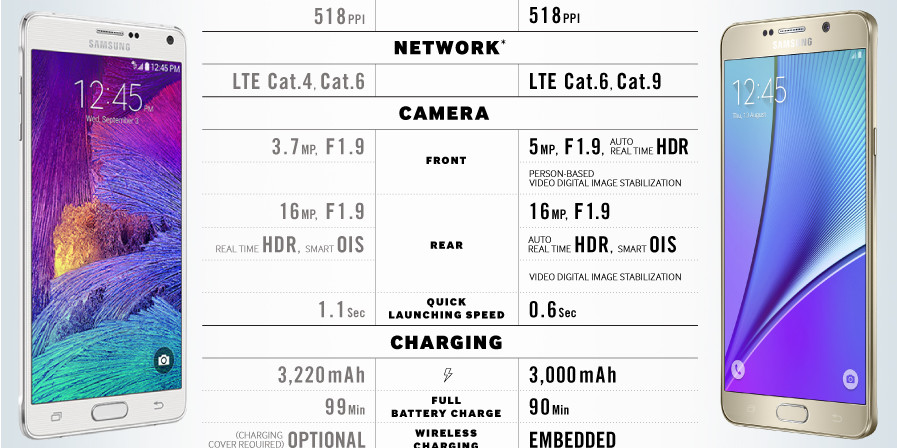
Last year, Samsung Tomorrow put out an infographic that showed all the features of the Galaxy Note 4, so they decided to do it again for us. Now that the Galaxy Note 5 was made official on August 13th, we have a comparison of the Note 4 and Note 5. So if you are curious about upgrading to Samsung’s latest flagship, this should definitely help you out.

The two devices almost look nothing alike this year. The Note 5 has a metal chassis, just like the Note 4, but it is flanked by glass on either side. The Note 4 had a plastic back, for better or for worse. The downfall from the glass back on the Note 5 is that it equates to a non-removable battery, something Note users love. On top of that, it has gone away with expandable storage.

As for the rest, the Note 5 has beefier specs all around. It comes with the Exynos 7420 processor which has four cores clocked at 2.1 GHz and four more cores clocked at 1.5 GHz. Compare this to the quad-core Snapdragon 805 processor found in the Note 4 that is clocked at 2.7 GHz. On top of that, it features 4 GB of LPDDR4 RAM compared to 3 GB of LPDDR3 RAM.

Let us know if  you’ll be picking up the new Note device when it is released on August 21st. We will have one in house ready to review next week, so keep an eye out for that.
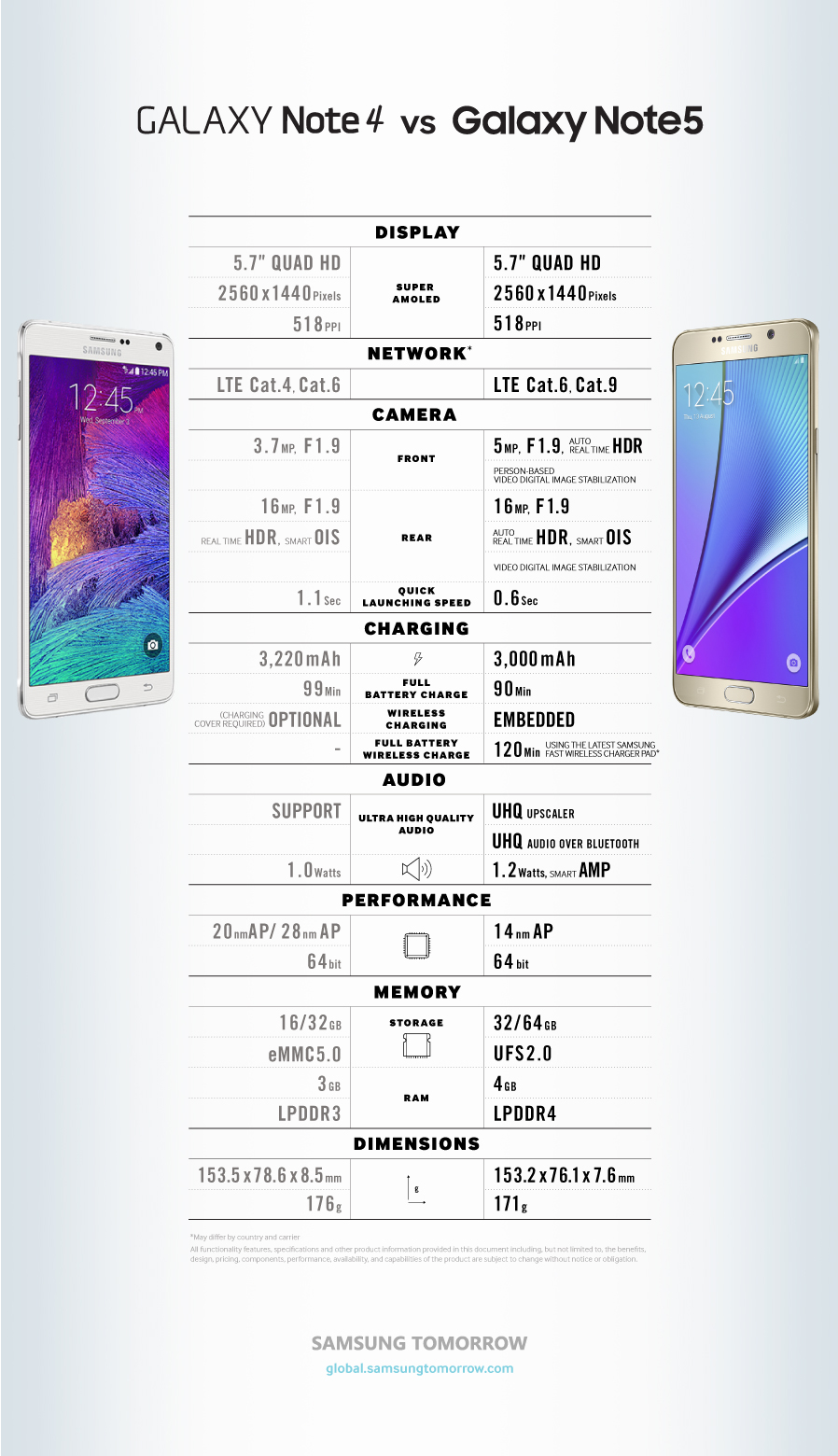
Galaxy Note 4 compared to the Galaxy Note 5

Samsung Tomorrow

Comparison Galaxy Note 4 Galaxy Note 5 Inforgraphic note 4 Note 5 Samsung
Share. Facebook Twitter Pinterest LinkedIn Tumblr Email
Matt Kinne

I golf, autocross, and spend way too much time messing with new phones and gadgets. FWNED is where I share smartphone news, leaks, reviews, and whatever else catches my attention in the tech world.

Related Posts

Galaxy Z Fold 8 (Wide) Could Bring Samsung’s Biggest Crease Improvement Yet

June 15, 2026

Google Needs to Revert This Android 17 Always-On Display Change

June 15, 2026

Samsung’s Next Foldables and Galaxy Watch 9 Appear in FCC Filings Ahead of Launch

June 15, 2026

Nothing’s Massive U.S. Retail Win: Why the Best Buy Deal Changes Everything

June 12, 2026
Editors Picks

Can We Go Back to Real Smartphone Upgrades?

June 18, 2026

18Birdies Pro Swing Analysis Review: Is a $15 Virtual Lesson Worth It?

June 9, 2026

FWNED Is Back!

June 8, 2026

Why I’m Paying for 18Birdies Premium Even Though It Leaves Android Users Behind

June 1, 2026
Related Posts

Galaxy Z Fold 8 (Wide) Could Bring Samsung’s Biggest Crease Improvement Yet

By Matt Kinne

Google Needs to Revert This Android 17 Always-On Display Change

By Matt Kinne

Samsung’s Next Foldables and Galaxy Watch 9 Appear in FCC Filings Ahead of Launch

By Matt Kinne
Advertisement
FWNED
Facebook X (Twitter)
  • Write For Us
  • About Us
  • Contact
  • Sitemap
  • Privacy Policy
© 2026 FWNED

Type above and press Enter to search. Press Esc to cancel.