

Close Menu
  • Home
  • News
  • Leaks
  • Reviews
    • Phone Reviews
    • Tablet Reviews
    • Accessory Review
  • Android
  • Apple
  • Windows
  • Wallpapers
  • Contact
    • Tip Us
    • Press release or product review
What's Hot

Download the Official iOS 27 Wallpapers in High Resolution

June 9, 2026

18Birdies Pro Swing Analysis Review: Is a $15 Virtual Lesson Worth It?

June 9, 2026

Samsung Galaxy S27 Appears in GSMA Database Listing Under Model Number SM-S952U

June 9, 2026
Facebook X (Twitter)
FWNEDFWNED
  • Home
  • News
  • Leaks
  • Reviews
    • Phone Reviews
    • Tablet Reviews
    • Accessory Review
  • Android
  • Apple
  • Windows
  • Wallpapers
  • Contact
    • Tip Us
    • Press release or product review
FWNEDFWNED
Home » Gmail 5.0 compared to Inbox by Gmail
Android

Gmail 5.0 compared to Inbox by Gmail

Matt KinneBy Matt KinneNovember 1, 2014No Comments2 Mins Read
Facebook Twitter Pinterest LinkedIn Tumblr Email
Share
Facebook Twitter LinkedIn Pinterest Email

It has been a big few weeks for all things Gmail related. First we got our first taste of Inbox by Gmail and now we got the updated Gmail 5.0 APK file ahead of the official Android 5.0 Lollipop release on November 3rd. We’ll go over both apps in this comparison.

Inbox by Gmail has been all the buzz around the internet as of late, due to its limited release through an invite system and the high praise it has been receiving. Inbox is a new way, or more refined way of managing your inbox. The app comes with pre-loaded categories to sort your email such as Travel, Purchases, Finance, Social, Updates, Forums, Promos, and the ability to add your own categories outlined by your own criteria.
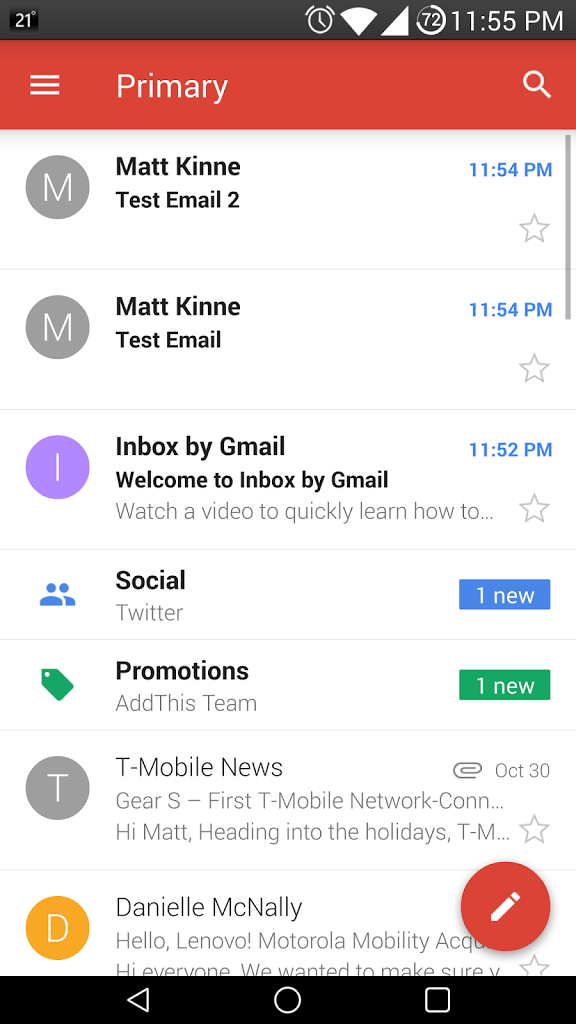
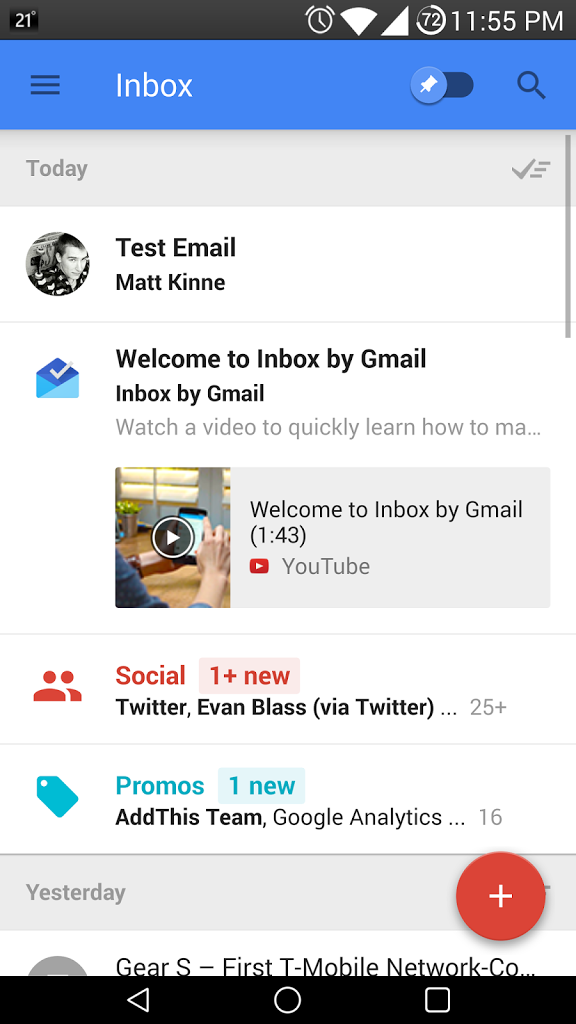
 

Inbox expanded on what Gmail already has, which is three main categories: Primary, Social, and Promotions. It is a much more refined way of controlling what you see in your inbox.

Along with refined categories, Inbox by Gmail comes with reminders. To put it best, it is almost like a refined Gmail combined with Google Keep, plus more. In addition to the reminders, the user can pin certain threads or categories, and toggle to hide everything that isn’t pinned with the switch at the top right of the app.
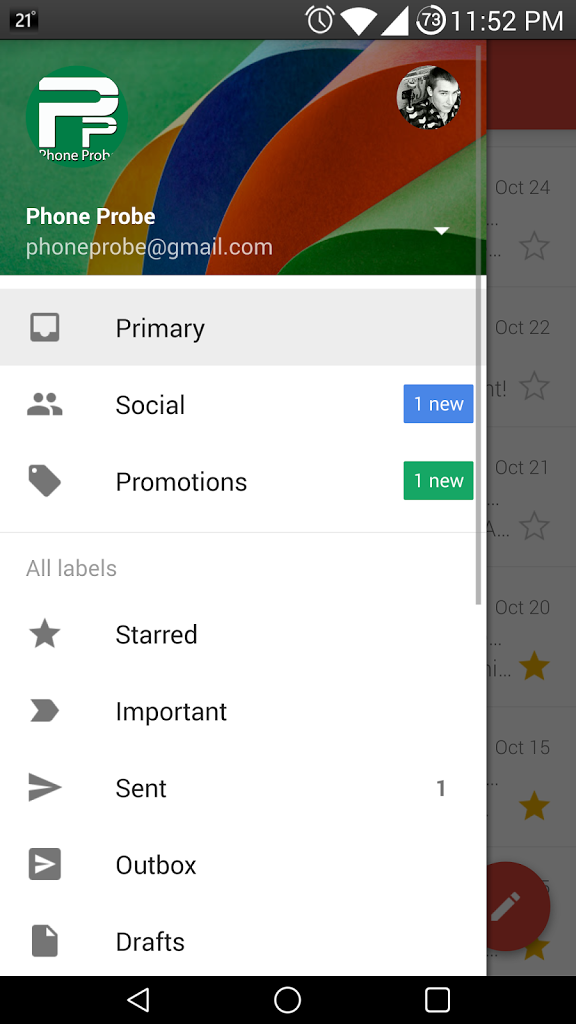
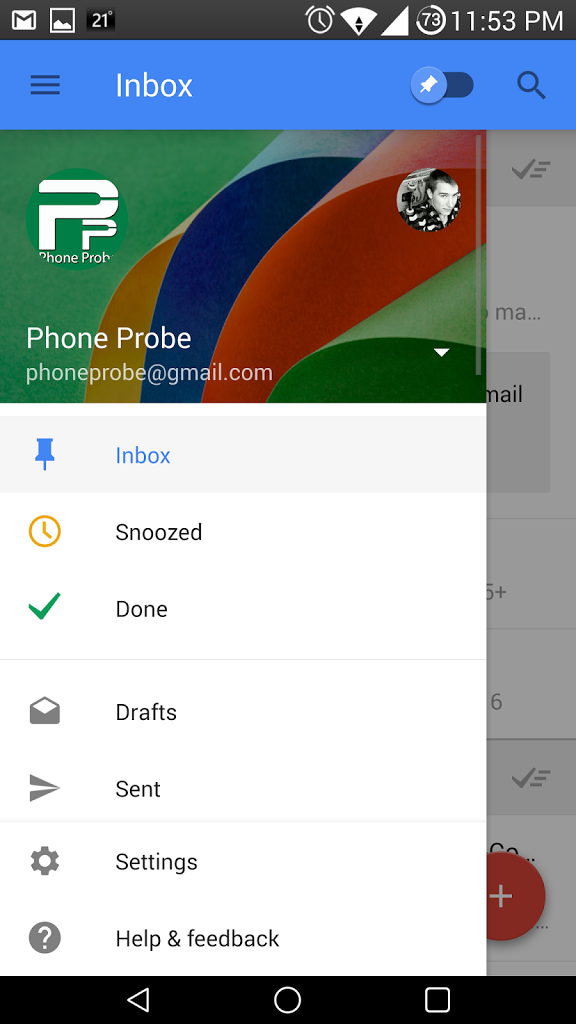
Google’s Gmail has received an entire skin overhaul to match it’s Android 5.0 counterparts. The overall interface is much cleaner and the design is uniform with all other Google applications. They added the same sidebar that originally came from the Google Play Store. The app is much easier to navigate, and just like Google’s new Messenger app, a new email is just one press away by pressing the red circle with the plus icon inside of it. 
Looking at the images above, both apps look similar, but it is what’s under the skins that counts. We recommend that if you can, move to Inbox by Gmail (that is if you are lucky enough to obtain an invite), or download the leaked APK file of Gmail 5.0. Regardless, both Google mail services are still at the top of the game. 

Share. Facebook Twitter Pinterest LinkedIn Tumblr Email
Matt Kinne

Related Posts

Samsung Galaxy S27 Appears in GSMA Database Listing Under Model Number SM-S952U

June 9, 2026

Galaxy S26 FE Design Details Surface Early

June 6, 2026

Motorola Edge (2026) Launching June 11: Smaller Display and New Cameras for $599

June 2, 2026

Always-On Display is missing from the T-Mobile OnePlus 8T

October 20, 2020
Editors Picks

18Birdies Pro Swing Analysis Review: Is a $15 Virtual Lesson Worth It?

June 9, 2026

Why I’m Paying for 18Birdies Premium Even Though It Leaves Android Users Behind

June 1, 2026
Related Posts

Samsung Galaxy S27 Appears in GSMA Database Listing Under Model Number SM-S952U

By Matt Kinne

Galaxy S26 FE Design Details Surface Early

By Matt Kinne

Motorola Edge (2026) Launching June 11: Smaller Display and New Cameras for $599

By Matt Kinne
Advertisement
FWNED
Facebook X (Twitter)
  • Write For Us
  • About Us
  • Contact
  • Sitemap
  • Privacy Policy
© 2026 FWNED

Type above and press Enter to search. Press Esc to cancel.