

Close Menu
  • Home
  • News
  • Leaks
  • Reviews
    • Phone Reviews
    • Tablet Reviews
    • Accessory Review
  • Android
  • Apple
  • Windows
  • Wallpapers
  • Contact
    • Tip Us
    • Press release or product review
What's Hot

Nothing’s Massive U.S. Retail Win: Why the Best Buy Deal Changes Everything

June 12, 2026

The Galaxy Watch Ultra convinced me Google needs a Pixel Watch Ultra

June 11, 2026

Instagram Finally Lets Users Reorder Their Grid, Here’s How!

June 11, 2026
Facebook X (Twitter)
FWNEDFWNED
  • Home
  • News
  • Leaks
  • Reviews
    • Phone Reviews
    • Tablet Reviews
    • Accessory Review
  • Android
  • Apple
  • Windows
  • Wallpapers
  • Contact
    • Tip Us
    • Press release or product review
FWNEDFWNED
Home » Google App update (5.8.45.19) allows for home screen rotation [download link]
Android

Google App update (5.8.45.19) allows for home screen rotation [download link]

Matt KinneBy Matt KinneJanuary 13, 2016No Comments2 Mins Read
Facebook Twitter Pinterest LinkedIn Tumblr Email
Android M feature, Google App
Share
Facebook Twitter LinkedIn Pinterest Email

One feature that has been missing from the Google App for some time has been home screen rotation. It is something very basic, but has been left out. When Android Marshmallow was in the Developer Preview stage, both Preview 1 and 2 allowed for the home screen to be rotated, but it was axed in Preview 3. The good news is that the latest Google App update (5.8.45.19) brings back home screen rotation.

Google App (5.8.45.19) download
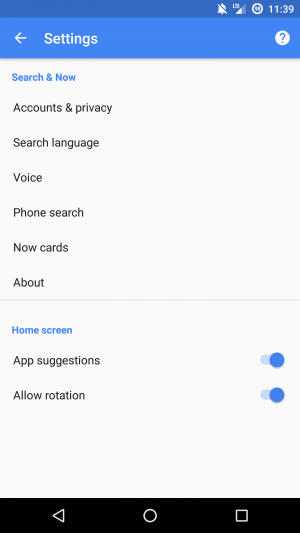
Google App rotation

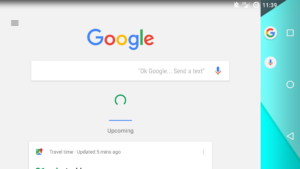
In order to enable this feature, you have to open up the Google App, or swipe over to your Google Now page. Once there, swipe out from the left and open up the settings. Right on the first page of the settings their is a Home screen tab, and there is a toggle to ‘allow rotation’. This is something that has been missing on the Google Launcher.
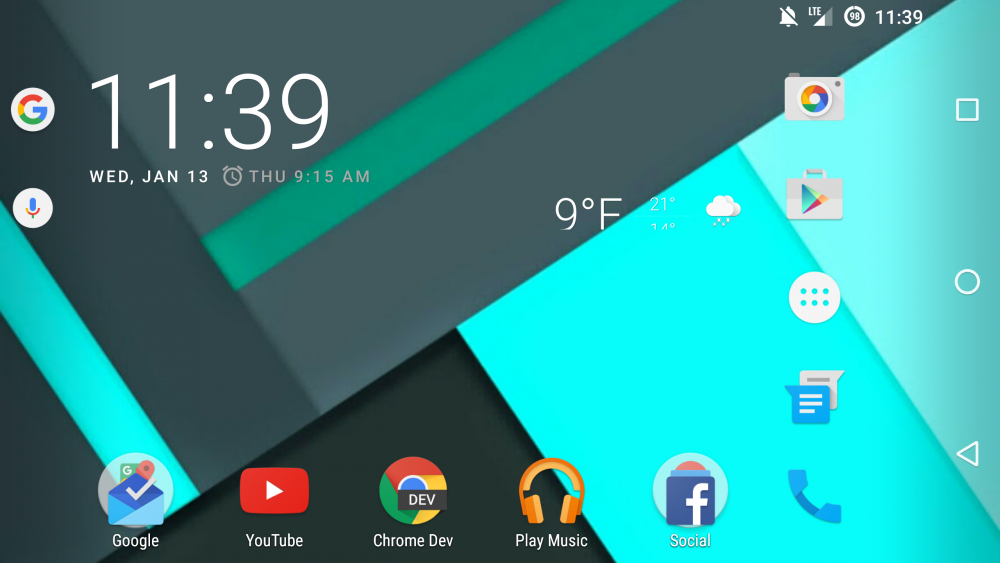
Google App homescreen rotated

The landscape screen has a slightly different layout than the portrait screen. The prevalent Google search bar that is usually placed at the top of the screen has been replaced by the more subtle Google ‘G’ logo and a microphone. I kind of like the more subtle approach with the microphone and ‘G’ off to the side as it opens up the wallpaper. Not only that, but the app icons appear smaller than when in portrait.
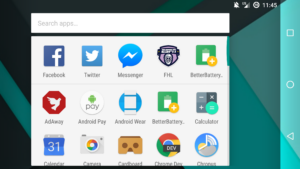
Google App app drawer
Google App Google Now rotation

Below you can see Google Now and the app drawer in landscape mode. Google Now is still the same proportion when rotated. The app drawer in the landscape mode has a grid size of 5×3 versus the portrait grid size of 4×6. They did a good job of leaving some open space to not make it look too cluttered.

Android Marshmallow Google App Homescreen Rotation
Share. Facebook Twitter Pinterest LinkedIn Tumblr Email
Matt Kinne

I golf, autocross, and spend way too much time messing with new phones and gadgets. FWNED is where I share smartphone news, leaks, reviews, and whatever else catches my attention in the tech world.

Related Posts

Nothing’s Massive U.S. Retail Win: Why the Best Buy Deal Changes Everything

June 12, 2026

Samsung Galaxy S27 Appears in GSMA Database Listing Under Model Number SM-S952U

June 9, 2026

Galaxy S26 FE Design Details Surface Early

June 6, 2026

Motorola Edge (2026) Launching June 11: Smaller Display and New Cameras for $599

June 2, 2026
Editors Picks

18Birdies Pro Swing Analysis Review: Is a $15 Virtual Lesson Worth It?

June 9, 2026

FWNED Is Back!

June 8, 2026

Why I’m Paying for 18Birdies Premium Even Though It Leaves Android Users Behind

June 1, 2026
Related Posts

Nothing’s Massive U.S. Retail Win: Why the Best Buy Deal Changes Everything

By Matt Kinne

Samsung Galaxy S27 Appears in GSMA Database Listing Under Model Number SM-S952U

By Matt Kinne

Galaxy S26 FE Design Details Surface Early

By Matt Kinne
Advertisement
FWNED
Facebook X (Twitter)
  • Write For Us
  • About Us
  • Contact
  • Sitemap
  • Privacy Policy
© 2026 FWNED

Type above and press Enter to search. Press Esc to cancel.