


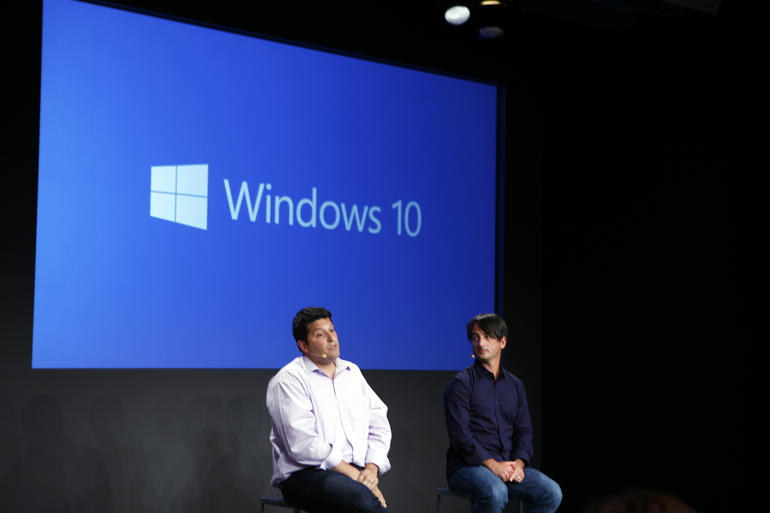
Yesterday, Gabe Aul announced Windows 10 PC Build 10122 after taking a short poll on Twitter .
Good morning #WindowsInsiders! Today we have a new build for PC – 10122. We'll start making available in just a couple of hours, stay tuned.
— Gabriel Aul (@GabeAul) May 20, 2015
This Build includes a Number of features like :
Start and Continuum improvements: This build introduces some of the changes that were shown off by Joe at Build and Ignite a few weeks ago for both Start and Continuum. We’ve further refined the visual layout of Start by moving File Explorer and Settings to the bottom left of Start next to Power and All Apps for better symmetry. In addition, the ability to toggle between Start menu and Start screen has been moved to the new Start settings page under Personalization settings. We did this because on a vast set of devices like desktops, laptops or All–n-Ones, we expect users will pick the appropriate size (or just go with the default) for Start and stick with that – which makes having this button being present all the time unnecessary. We also saw that this button was creating confusion for users where many thought that is how they got to Tablet mode when all it did was resize Start. Moving the toggle to Start settings not only helps us remove this confusion, it also gave us the ability to further reduce the top chrome of Start to make it a bit sleeker. And remember for people on 2:1’s or tablets, Windows 10 will automatically resize Start to the appropriate size when you are in Tablet mode. You can enable the full screen start without being in Tablet mode by going to Settings > Personalization > Start.
Speaking of Tablet mode, we also continue to improve Continuum. When you switch to Tablet mode, the left-hand pane is now collapsed and can be brought back out by clicking the icon at the top left. Start also now has larger tiles to better use the available space– similar to what was seen in Windows 8.1.
We’ll continue to tune these experiences and you’ll see changes in future flights. Let us know what you think about what you see in this build to inform us as we do that work.
Microsoft Edge: This build has the New Tab Page for Microsoft Edge that Joe showed off in April at Build. This page features a revamped layout, including top sites, featured apps and content from MSN. It’s designed to get you to your next destination on the web as quickly as possible. The content of the page can be lightly customized in Settings. We’re still testing several different versions of the New Tab Page to learn more about how users interact with Microsoft Edge, and we have set it as the current default homepage to get as much data and feedback as possible – so let us know what you think. We’ve also added a few other things to Microsoft Edge including InPrivate mode, the ability to pin websites to Start, history view, a new animated Reading View icon, and an audio indicator on tabs that have web pages making sounds or playing music. This build also includes the latest enhancements to the Chakra engine in Microsoft Edge, which now leads all 64-bit browsers in both Google’s Octane 2.0 benchmark and Apple’s Jet Stream benchmark, and introduces class-leading ECMAScript 6 implementation. You can read about these improvements in detail on the Microsoft Edge Dev Blog.
Changes to how Windows 10 handles default apps: ‘Default apps’ refers to the way that Windows maps file types and protocols (like HTTP) to the Windows applications they open by default. For example, your favorite photo editor may be set as the default app for .JPG files, which means that when you double-click on a .JPG file in File Explorer, it opens in that photo editor. In Windows 8.1, Classic Windows applications (Win32) could invoke the prompt asking you to change your defaults, so you may have seen multiple prompts during install and after they launched. However, Windows Store apps could not invoke this prompt. Instead, a notification banner will appear after your apps are installed telling you that new apps are available and you would click on this banner to change your defaults.
We know your defaults matter to you. With Windows 10, all apps – both Classic Windows apps and Universal Windows apps – will be unable to invoke a prompt to change your defaults, only Windows. You remain in full control of your default experiences, while reducing some of the unwanted noise that multiple prompts can bring.

For example – if you install a new photo editor and go into File Explorer and double-click to open a JPG file – Windows will show you a prompt to change your default to the new app. So the prompt is shown in context when it matters, not randomly during setup or when an app is launched.
We have had to do some compatibility work for Classic Windows apps and you might see a new dialog box appear in the places where Classic Windows apps previously asked you to set your default:

Over time, as apps are updated to align with the new Windows 10 model for defaults, you shouldn’t see this dialog any more.
And finally – for people who upgrade from Windows 7 or Windows 8.1, we’ll give you an opportunity to upgrade your defaults during initial set up to new Universal Windows apps that come as part of Windows 10.
Redesigned Insider Hub: The Insider Hub has gotten an overhaul in this build using a lot of the same design as the other Universal Windows apps included in Windows 10. Check out the clean new homepage where Quests are shown front and center. You can navigate to different content easily through menu and top left, your profile page can be seen at a glance, and announcement and alerts are succinctly organized. You can also easily find known issues, which was a top request from Insiders, and view new badges for achievements that you have earned and can earn.
A number of bugs have been fixed since the last build (10074) :
- We have fixed the visual glitch (“rectangle slivers”) that appears on Live Tiles on the Start menu with the new tile animation. In general, performance of the Start menu should be better in this build.
- We believe we have fixed a lot of the crashes with Microsoft Edge (Project Spartan) reported by Windows Insiders.
- Developers – when you go to Settings > Update & Security > For developers – it no longer crashes the Settings app.
- We fixed the issue some people were seeing where their graphics driver fails to install from Windows Update with error code 80070103. This was happening because WU was trying to re-issue the driver.
- You should now be able to edit the IPv4 properties of an Ethernet adapter on your PC.
- We have fixed issues where fonts would render blurry on High DPI displays. We’re cooking up a blog post we plan to publish shortly that talks a little more in depth about our investment with High DPI in Windows 10 so watch for it.
- We have fixed some keyboard shortcuts in Microsoft Edge. Control + L or Alt + D shortcuts now got to the URL bar more reliably.
- See my note above regarding the issue on PCs with AMD GPUs and frequent crashes in Microsoft Edge.
- Upgrading to this build on certain PCs may fail and roll back to the previously installed build with error 0x80070057 – 0x20007. This is a bug where too many device INFs are being migrated and hitting an internal limit. Possible workaround is to use Disk Cleanup to clean up system files and choose Device driver packages, Previous Windows installations and Temporary Windows installation files. You may also need to remove unnecessary peripherals and remove them from Device Manager and trying the upgrade again.
- In this build there is a bug that may cause issues with Cortana speech. If you are experiencing problems with speech recognition, or are getting errors when trying to speak to Cortana, please visit this thread on the Windows Insider Program forum for assistance in recovering from this bug.
We have torrent links to Unofficial ISO files!
x86 : magnet:?xt=urn:btih:39A79689056B7BC647F0ED317ABE1EF1138013E5&dn=windows+10+pro+insider+preview+build+10122+en+us+x86+by+whitedeath&tr=udp%3A%2F%2Fopen.demonii.com%3A1337%2Fannounce
Stay Tuned!
Not a Windows Insider yet? Register yourself now . Don’t forget to read the instructions first .
Follow me on Facebook or Twitter.
Source : Windows Blog
