


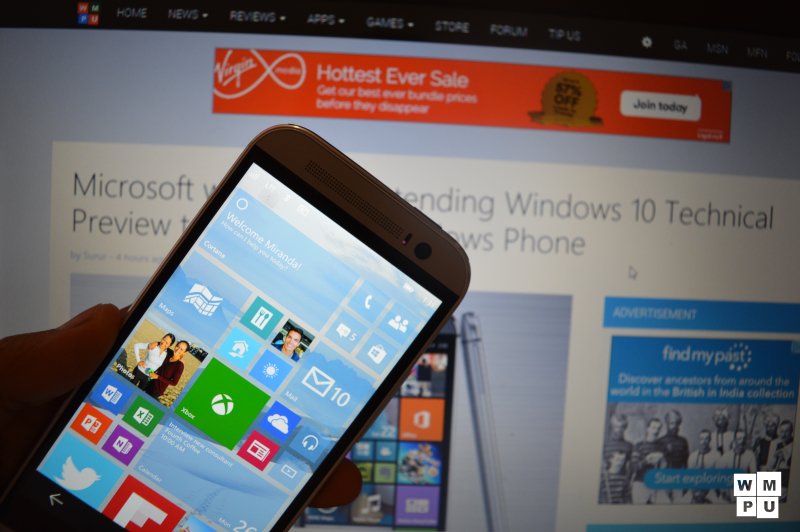
The much awaited Windows 10 Mobile new build is now available to Windows Insiders on Fast Ring. The build supports the Lumia Icon, Lumia 930, Lumia 640, Lumia 640XL and HTC M8 for Windows as well.
This build includes a number of great features like:
- Store Beta (Microsoft Store)
- Universal Office Apps
- The Xbox App
- The Music Preview App
- The Videos Preview App
- The All new Camera App
- And a few Bugs fixes .
Microsoft Listed some known bugs and provided a workaround for them :
They said,
- We’re aware of several migration issues after upgrading to this build.
- After upgrading, you may see duplicate tiles for apps like Search and Phone under All Apps.
- “Pending” may show under some apps after upgrade and those apps are unresponsive. Restarting the phone will clear the pending flag and the apps should work.
- All data and settings for apps installed on a SD card do not get migrated and you cannot launch these apps or install them again. Workaround is to uninstall then reinstall these apps.
- The old email app will still show up after upgrade in All Apps list with “Error” text displayed and cannot be removed. This app also shows up banged out on the Start screen if it was pinned previously. It can simply be unpinned to remove.
- When upgrading from Windows Phone 8.1 to this build, even if you have your cellular data connection turned on, it will get turned off during upgrade. Go to Settings > Network & wireless > Cellular and SIM to turn it back on.
- VERY IMPORTANT: there is a condition in which you may never receive MMS messages. Usually when someone sends you a MMS message and your phone’s cellular data connection is turned off, you will receive a “Get message” link in the text thread from the sender, allowing you to download the message once you turn your cellular data back on. There is a bug in which this link is not received in this case and the MMS message is completely lost. To ensure MMS messages are not lost, be sure to turn cellular data on (via Settings > Network & wireless > Cellular & SIM > Data connection). This issue will occur any time your cellular data connection is turned off in this build.
- If you are in a region where Cortana is enabled (US, China, UK, France, Italy, Germany, or Spain) and you have changed the default shipping language on your phone – please ensure that your region, language, and speech settings are restored to their default values before initiating the update. This is required in order to avoid a bug that will cause Cortana/Search to repeatedly crash.
- After upgrade, uninstalling an app may not remove it from the All Apps list. Usually restarting your device resolves this issue.
- Playback of movies and TV may fail with error 0x8004c029 in the Video Preview app. If it does, go here to learn more about how to fix it.
- After upgrading, the Twitter app may crash on launch. If you uninstall and reinstall the app, it should work.
- Auto-update for apps is not enabled in this build for apps installed via Store Beta. You will have to manually check for updates.
- After upgrading from Build 10052, the Insider Hub still does not launch. However, if you upgrade from Windows Phone 8.1 the Insider Hub should now launch.

The build sizes around 500MB and supports almost all Lumia phones now and HTC M8 for Windows .
Stay Tuned!
Source : Windows Blog
Not a Windows Insider yet? Register yourself now . Don’t forget to read the instructions first .
