

Close Menu
  • Home
  • News
  • Leaks
  • Reviews
    • Phone Reviews
    • Tablet Reviews
    • Accessory Review
  • Android
  • Apple
  • Windows
  • Wallpapers
  • Contact
    • Tip Us
    • Press release or product review
What's Hot

Google Pixel 11 Series Hits the FCC Ahead of Launch

July 13, 2026

Google’s Pixel Weather App Keeps Confusing Forecasts With Reality

July 8, 2026

iPhone Air 2 Could Get Bigger Battery as Apple Looks to Fix First-Gen Complaints

July 7, 2026
Facebook X (Twitter)
FWNEDFWNED
  • Home
  • News
  • Leaks
  • Reviews
    • Phone Reviews
    • Tablet Reviews
    • Accessory Review
  • Android
  • Apple
  • Windows
  • Wallpapers
  • Contact
    • Tip Us
    • Press release or product review
FWNEDFWNED
Home » Magisk is officially available for the Pixel and Pixel XL, retains root after OTAs
Android

Magisk is officially available for the Pixel and Pixel XL, retains root after OTAs

Matt KinneBy Matt KinneSeptember 27, 2017No Comments2 Mins Read
Facebook Twitter Pinterest LinkedIn Tumblr Email
Magisk Pixel and Pixel XL
Share
Facebook Twitter LinkedIn Pinterest Email

Magisk has been an alternative method to root Android devices for quite awhile now. It has gained popularity by being able to pass Safety Net checks while staying rooted and it is open source. Since it is open source, there have been unofficial versions that run on the Pixel and Pixel XL. Today, the creator of Magisk, John Wu has announced official support for the Pixel family.

One of the biggest challenge for using Magisk on Pixel devices was the fact that it employs A and B partitions. The good news is it only took Wu just over a month to get it working and it comes with a few extra features. The Pixel and Pixel XL can fully pass Safety Net checks while being rooted with Magisk.
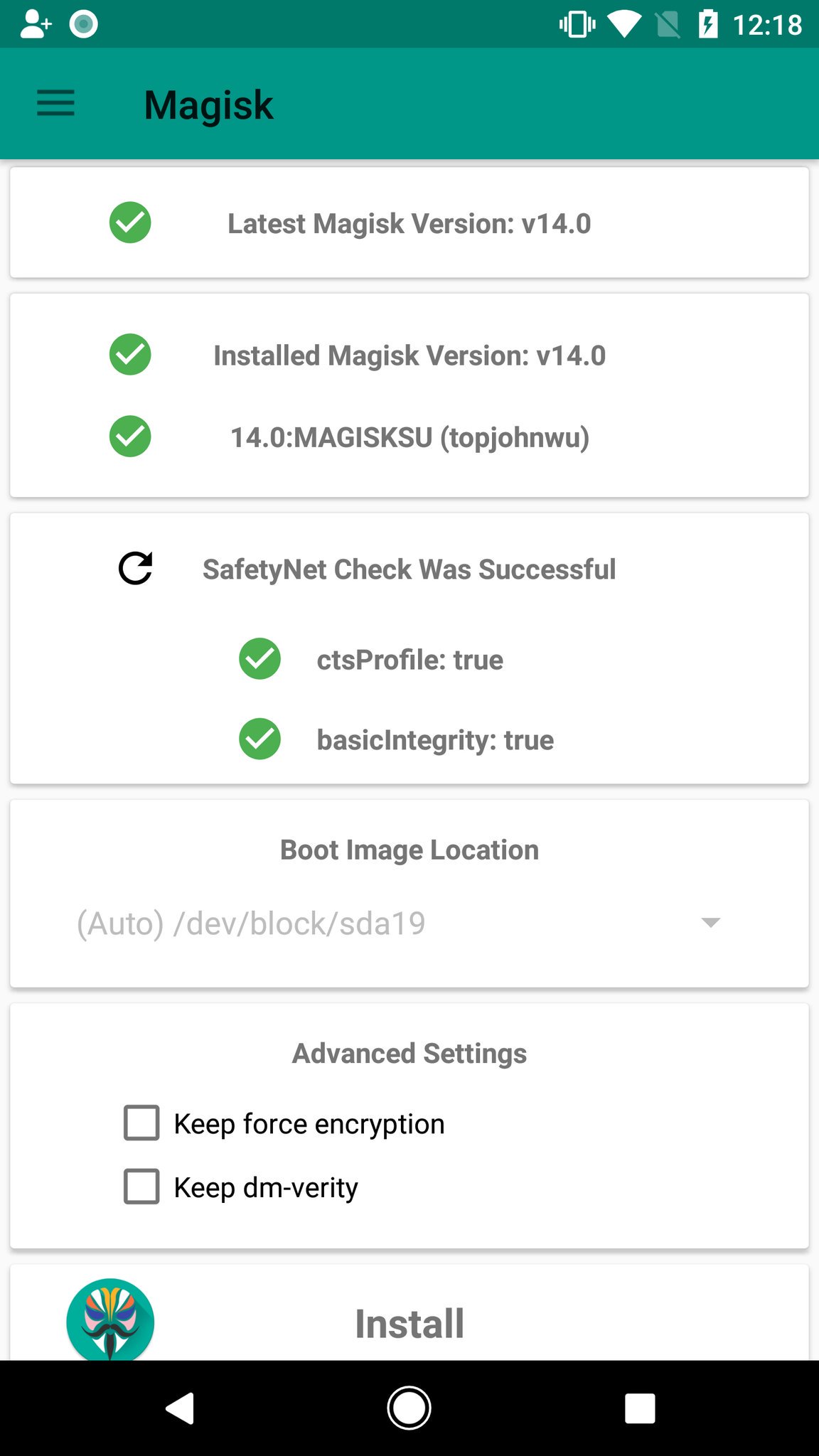
Magisk Safety Net Pixel and Pixel XL
Magisk can survive OTA updates

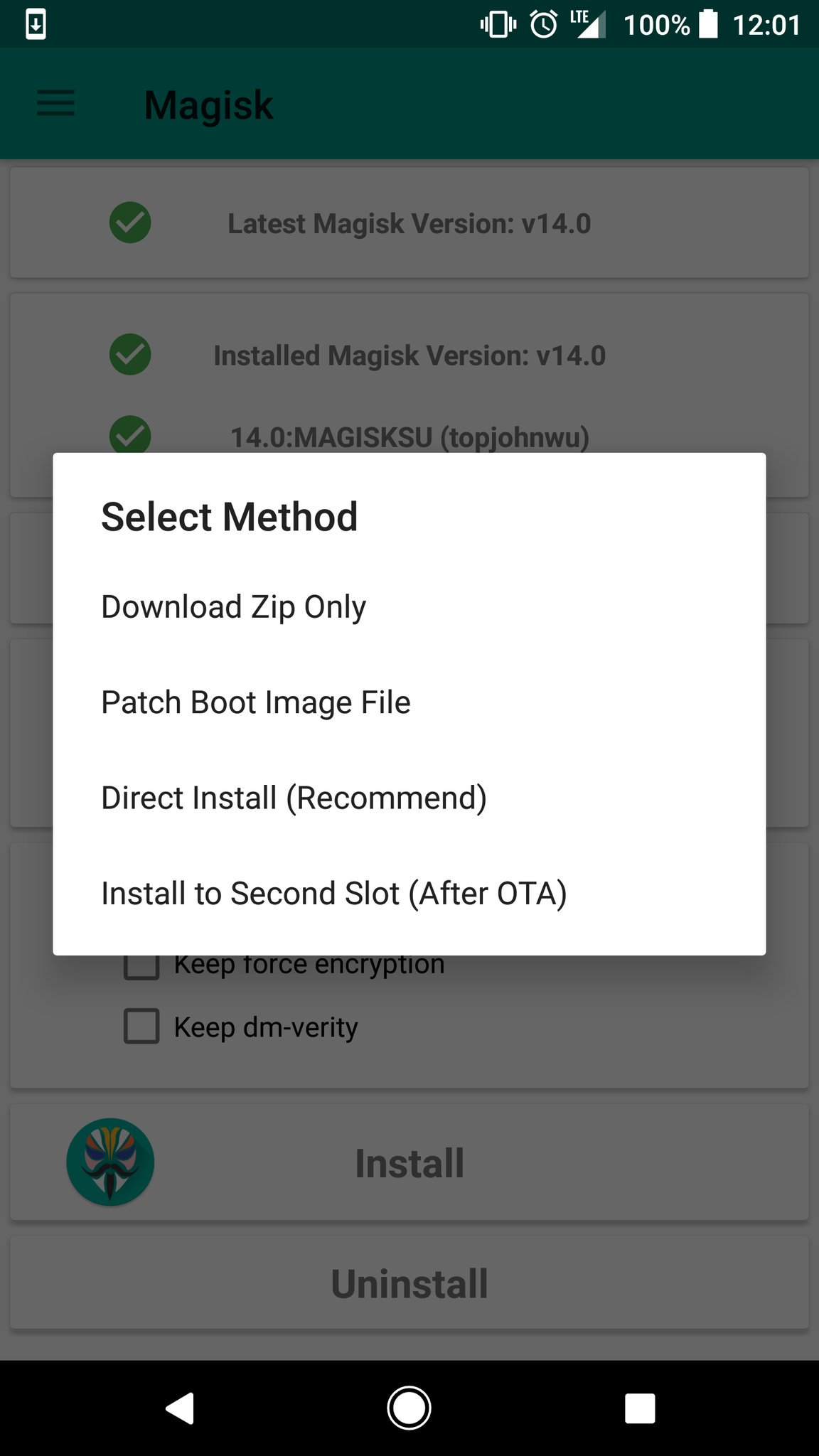
Magisk v14.1 now allows for Pixel and Pixel XL devices to retain root while accepting an OTA update. This is done by uninstalling root before the update, then reinstalling it on the second slot during step 2 of the update. This is done all by going through the official app. Once the OTA is installed and the device is rebooted, it will be rooted once again. For full instructions on how to accept an OTA, please go here.

For all other information, please go to the original post on XDA Developers.

Magisk Magisk v14.1 Pixel Pixel XL
Share. Facebook Twitter Pinterest LinkedIn Tumblr Email
Matt Kinne

I golf, autocross, and spend way too much time messing with new phones and gadgets. FWNED is where I share smartphone news, leaks, reviews, and whatever else catches my attention in the tech world.

Related Posts

Google Pixel 11 Series Hits the FCC Ahead of Launch

July 13, 2026

Google’s Pixel Weather App Keeps Confusing Forecasts With Reality

July 8, 2026

Additional Sony Xperia 1 VIII models appear in Qi certification database

July 7, 2026

Motorola Edge 70 Max picks up Qi certification ahead of launch

June 29, 2026
Editors Picks

Google’s Pixel Weather App Keeps Confusing Forecasts With Reality

July 8, 2026

I Loved OnePlus, But I’d Trade It for OPPO’s Find Lineup in the U.S.

July 1, 2026

Can We Go Back to Real Smartphone Upgrades?

June 18, 2026

The Galaxy Watch Ultra convinced me Google needs a Pixel Watch Ultra

June 11, 2026
Related Posts

Google Pixel 11 Series Hits the FCC Ahead of Launch

By Matt Kinne

Google’s Pixel Weather App Keeps Confusing Forecasts With Reality

By Matt Kinne

Additional Sony Xperia 1 VIII models appear in Qi certification database

By Matt Kinne
Advertisement
FWNED
Facebook X (Twitter)
  • Write For Us
  • About Us
  • Contact
  • Sitemap
  • Privacy Policy
© 2026 FWNED

Type above and press Enter to search. Press Esc to cancel.