


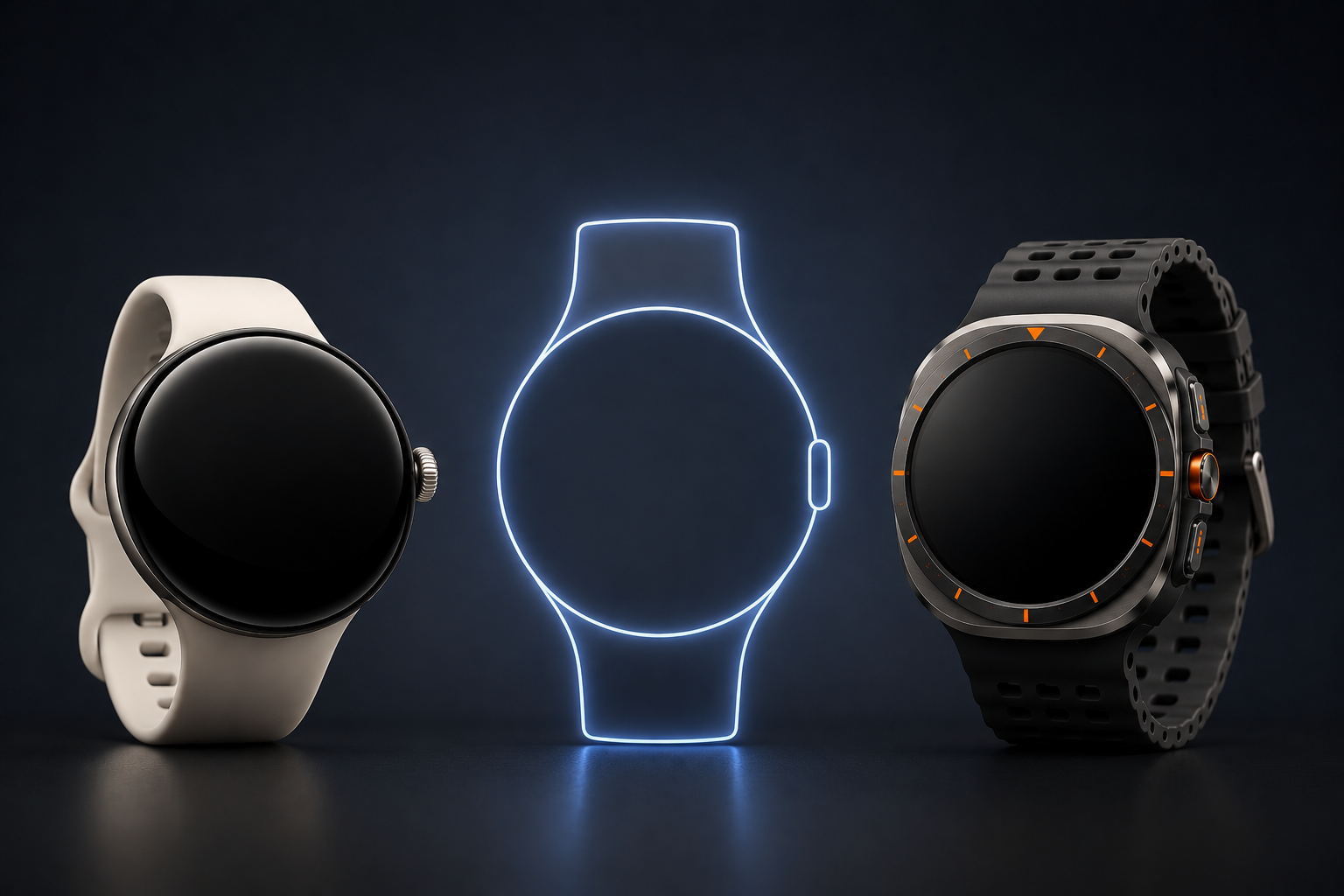
I’ve been a Google phone user for as long as I can remember.
I’ve owned every Pixel phone generation, and before that I carried devices like the Nexus 5, Nexus 6, and Nexus 6P. When Google launched the Pixel Watch, I was all in. I’ve owned the Pixel Watch, Pixel Watch 2, and Pixel Watch 3. In fact, the only generation I’ve skipped so far is the Pixel Watch 4 because there simply wasn’t enough new to justify an upgrade.
A few months ago, however, I came across a deal that was too good to ignore.
Woot was selling Samsung’s Galaxy Watch Ultra for just $300. I’ve always been intrigued by Samsung’s smartwatches since the company adopted Wear OS, and I’ve admittedly been a little jealous of both the Galaxy Watch Ultra and Apple’s Ultra lineup. Google still doesn’t offer anything comparable, so I figured this was the perfect opportunity to see what all the hype was about.
The timing couldn’t have been better. I was about to head to the Florida Keys for vacation, and I thought a brand-new Galaxy Watch Ultra would be the perfect test. If there was ever a place to appreciate a rugged smartwatch with a large battery, better GPS, and water-focused features, it was going to be while hiking trails, snorkeling reefs, and exploring the islands.
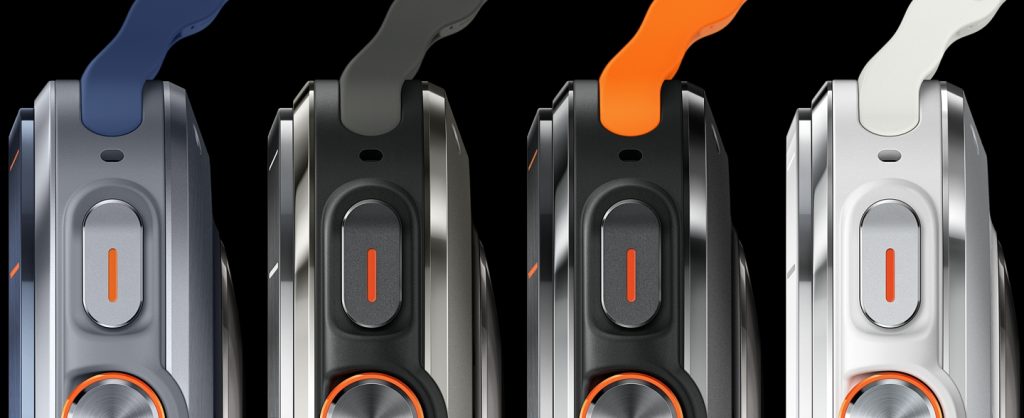
After only a few hours with the Galaxy Watch Ultra, I found myself wondering why Google hadn’t already built a Pixel Watch Ultra of its own.
The hardware is fantastic.
The rugged design looks great. The larger display is easier to read. The battery life is noticeably better than my Pixel Watch 3. Most importantly, the watch actually feels substantial on the wrist. As someone with larger wrists, the 45mm Pixel Watch 3 already feels like the minimum size I’d want to wear. The Galaxy Watch Ultra felt right at home.
Battery life was another immediate improvement. My Pixel Watch 3 typically lasts about two days, which means I’m charging it every other day. The Galaxy Watch Ultra routinely finished a full day with around 70 percent battery remaining. For anyone who spends time outdoors, travels frequently, or simply hates charging devices, that’s a meaningful difference.
For a brief moment, I thought I’d found my next smartwatch.
Then the cracks started to appear.
The first annoyance was sleep mode
One of my favorite Pixel Watch features is something I rarely think about. When I fall asleep, my watch eventually figures it out and automatically enables sleep mode. Notifications stop buzzing my wrist, and I don’t have to remember to manually change any settings before bed.
The first time I took a nap while wearing the Galaxy Watch Ultra, I was woken up by a notification vibrating on my wrist.
After some digging, I discovered that Samsung’s watch wasn’t automatically handling sleep mode the way my Pixel Watch did. Was this a dealbreaker? Not even close. I could easily turn sleep mode on manually before bed.
The second issue was Samsung’s version of Wear OS
This was even less of a problem. The interface felt different, and it took some time to adjust to Samsung’s approach, but I could have learned to live with it. After all, the hardware advantages largely outweighed the software differences.
If those were my only complaints, I’d probably still be wearing the Galaxy Watch Ultra today.
Unfortunately, there was one problem I couldn’t get past.
Google Home integration (or lackthereof)
I have invested heavily in Google’s smart home ecosystem. Nest cameras, Google Home automations, you name it, it’s all part of my daily routine.
On my Pixel Watch 3, when a Nest camera detects motion, I get a rich notification complete with a large animated preview that fills most of the watch display. At a glance, I can see exactly what happened without reaching for my phone. Not to mention the “detailed description” courtesy of AI.
The Galaxy Watch Ultra couldn’t replicate that experience. That surprised me because both watches run Wear OS, both have access to Google’s apps, and Samsung is typically one of the first companies to receive new Google features. Circle to Search, for example, arrived on Samsung devices almost immediately after its debut on Pixel phones.
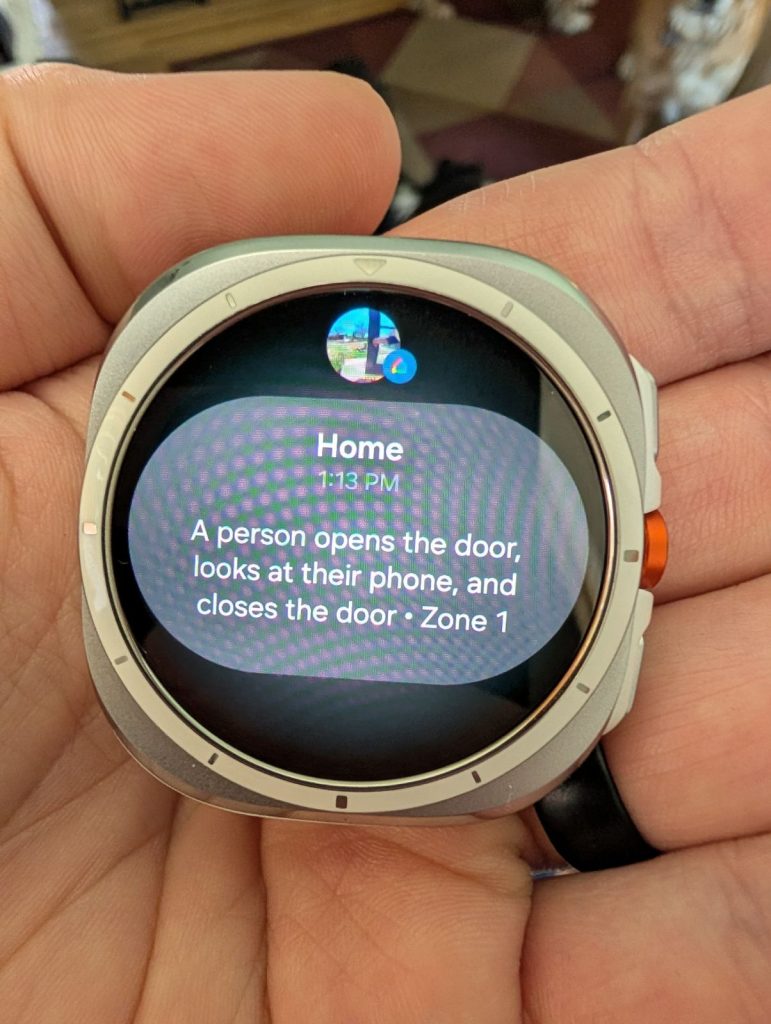
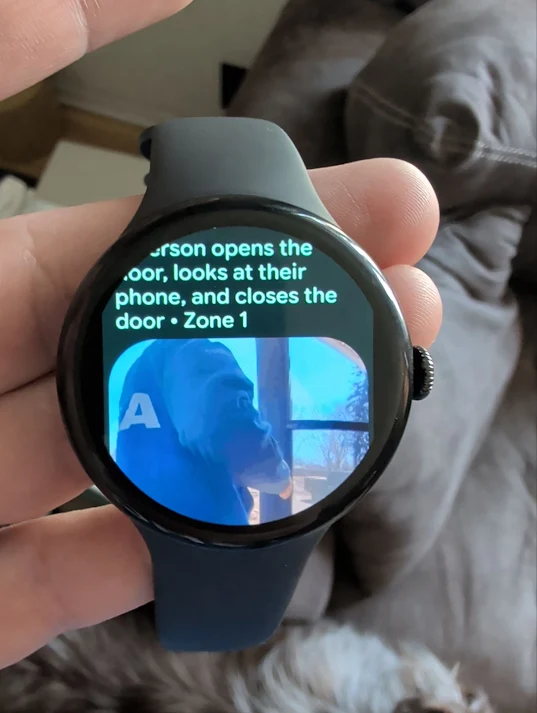
Instead, notifications contained a tiny preview image that was barely useful. I spent hours researching solutions because I genuinely wanted to keep the watch. I downloaded the Google Home app. I checked for updates. I searched support forums and Reddit threads.

What made the situation even more frustrating is that Google publicly announced animated camera previews for Wear OS back in 2023. Around the same time, a Google Home engineering manager stated on Reddit that the feature would expand beyond Pixel Watches to all Wear OS 3+ devices paired with Android 14. Yet no matter what I tried, the experience on the Galaxy Watch Ultra never matched what I was getting on my Pixel Watch 3.
I even made my first-ever post on the Google Nest Community forums looking for answers, only to hear from another user experiencing the same issue. Between Google’s original announcement, comments from the Google Home team, and the company’s current support documentation, it was never entirely clear whether the feature was still rolling out, partially supported, or simply unavailable on Samsung’s flagship smartwatch.
No matter what I tried, the experience never matched what I had on my Pixel Watch.
The disappointment didn’t stop there.
Attempting to view a live Nest camera feed from the Galaxy Watch Ultra simply resulted in a prompt to open the feed on my phone. Some users suggested creating custom notifications through Samsung SmartThings, but that workaround came with compromises of its own. I’d lose many of the intelligent Google Home notifications I rely on, such as descriptions that tell me exactly what was detected. While SmartThings can provide access to Nest camera feeds on Galaxy Watches, it still feels like a workaround rather than a true Google Home experience. At that point, I’d be managing cameras through a second smart home platform just to recreate functionality that already works out of the box on my Pixel Watch.
The Galaxy Watch Ultra wasn’t defeated by its hardware.
It wasn’t defeated by battery life.
It wasn’t defeated by Samsung’s version of Wear OS.
It was defeated by Google’s ecosystem.
And that’s what ultimately convinced me that Google needs to build a Pixel Watch Ultra.
The Galaxy Watch Ultra showed me exactly what I want from a smartwatch. I want the larger display. I want the rugged design. I want the improved battery life. I want the outdoor-focused hardware and premium construction.
What I don’t want is to give up the Pixel experience to get it.
Today, Google effectively forces users like me to choose. I can have the smartwatch hardware I want, or I can have the smartwatch ecosystem I want.
I shouldn’t have to pick one.
If Google announced a Pixel Watch Ultra alongside the Pixel 11, I’d be first in line to buy it. Until then, I’ll continue wearing my Pixel Watch 3, not because it’s the best smartwatch hardware available, but because it’s the watch that works best with the rest of my Google-powered life.
Ironically, the Galaxy Watch Ultra didn’t convince me to switch away from Pixel.
It convinced me that Google needs to aim higher.
