

Close Menu
  • Home
  • News
  • Leaks
  • Reviews
    • Phone Reviews
    • Tablet Reviews
    • Accessory Review
  • Android
  • Apple
  • Windows
  • Wallpapers
  • Contact
    • Tip Us
    • Press release or product review
What's Hot

Download the Official iOS 27 Wallpapers in High Resolution

June 9, 2026

18Birdies Pro Swing Analysis Review: Is a $15 Virtual Lesson Worth It?

June 9, 2026

Samsung Galaxy S27 Appears in GSMA Database Listing Under Model Number SM-S952U

June 9, 2026
Facebook X (Twitter)
FWNEDFWNED
  • Home
  • News
  • Leaks
  • Reviews
    • Phone Reviews
    • Tablet Reviews
    • Accessory Review
  • Android
  • Apple
  • Windows
  • Wallpapers
  • Contact
    • Tip Us
    • Press release or product review
FWNEDFWNED
Home » Magisk is officially available for the Pixel and Pixel XL, retains root after OTAs
Android

Magisk is officially available for the Pixel and Pixel XL, retains root after OTAs

Matt KinneBy Matt KinneSeptember 27, 2017No Comments2 Mins Read
Facebook Twitter Pinterest LinkedIn Tumblr Email
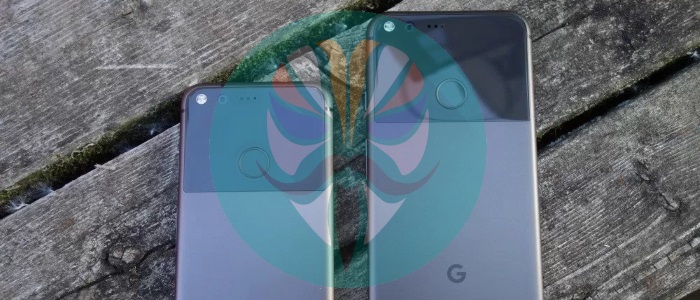
Magisk Pixel and Pixel XL
Share
Facebook Twitter LinkedIn Pinterest Email

Magisk has been an alternative method to root Android devices for quite awhile now. It has gained popularity by being able to pass Safety Net checks while staying rooted and it is open source. Since it is open source, there have been unofficial versions that run on the Pixel and Pixel XL. Today, the creator of Magisk, John Wu has announced official support for the Pixel family.

One of the biggest challenge for using Magisk on Pixel devices was the fact that it employs A and B partitions. The good news is it only took Wu just over a month to get it working and it comes with a few extra features. The Pixel and Pixel XL can fully pass Safety Net checks while being rooted with Magisk.
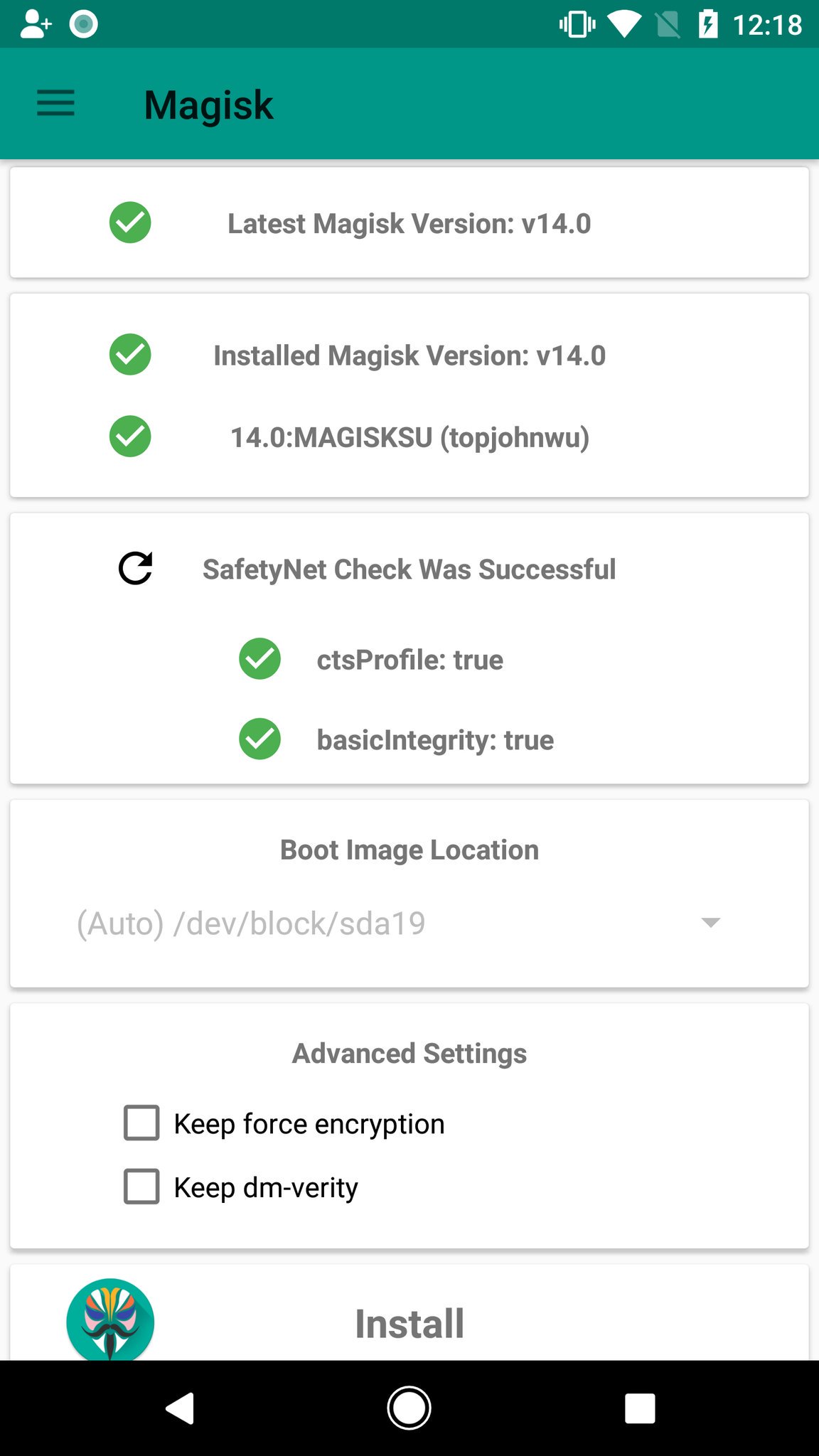
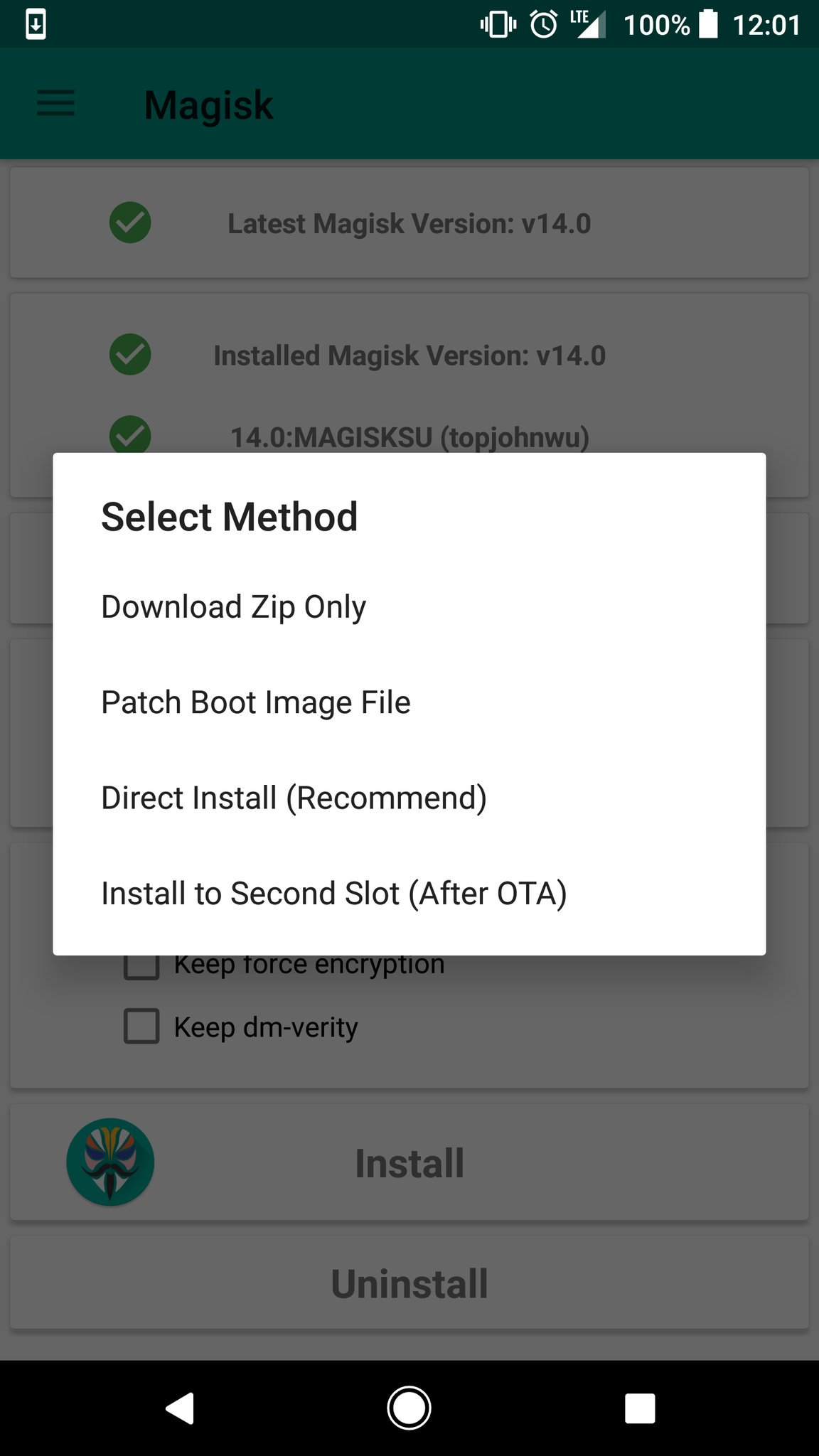
Magisk Safety Net Pixel and Pixel XL
Magisk can survive OTA updates

Magisk v14.1 now allows for Pixel and Pixel XL devices to retain root while accepting an OTA update. This is done by uninstalling root before the update, then reinstalling it on the second slot during step 2 of the update. This is done all by going through the official app. Once the OTA is installed and the device is rebooted, it will be rooted once again. For full instructions on how to accept an OTA, please go here.

For all other information, please go to the original post on XDA Developers.

Magisk Magisk v14.1 Pixel Pixel XL
Share. Facebook Twitter Pinterest LinkedIn Tumblr Email
Matt Kinne

Related Posts

Samsung Galaxy S27 Appears in GSMA Database Listing Under Model Number SM-S952U

June 9, 2026

Galaxy S26 FE Design Details Surface Early

June 6, 2026

Motorola Edge (2026) Launching June 11: Smaller Display and New Cameras for $599

June 2, 2026

Always-On Display is missing from the T-Mobile OnePlus 8T

October 20, 2020
Editors Picks

18Birdies Pro Swing Analysis Review: Is a $15 Virtual Lesson Worth It?

June 9, 2026

Why I’m Paying for 18Birdies Premium Even Though It Leaves Android Users Behind

June 1, 2026
Related Posts

Samsung Galaxy S27 Appears in GSMA Database Listing Under Model Number SM-S952U

By Matt Kinne

Galaxy S26 FE Design Details Surface Early

By Matt Kinne

Motorola Edge (2026) Launching June 11: Smaller Display and New Cameras for $599

By Matt Kinne
Advertisement
FWNED
Facebook X (Twitter)
  • Write For Us
  • About Us
  • Contact
  • Sitemap
  • Privacy Policy
© 2026 FWNED

Type above and press Enter to search. Press Esc to cancel.